
 Customizable New Tab Page
In Slimjet, the New Tab page has been greatly enhanced to increase both flexibility and usability, compared with what's available in the Chrome browser. Here is the list of enhancement we've made to the Slimjet New Tab page,
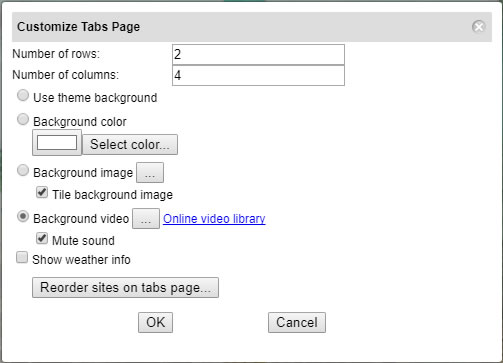
- Customizable rows and columns.
- Customizable background color, image and video (indepedent from the currently-applied theme).
- Semi-transparent quick-dial buttons when background image is applied.
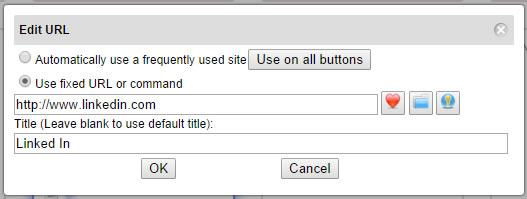
- Flexible options to put different types of links on a quick dial button
- Pin a manually-specified URL
- Automatically use a frequently used site
- Pin a saved QuickFill form file
It lets you log into your favorite online account with a single click on a quick-dial button. - Pin a bookmark folder
It lets you open all the bookmarks under the folder with a single click on a quick-dial button.
- Higher resolution thumbnail images
- Quickly switch between multiple search engines from the search box.
Here is a screenshot of the New Tab page with background video enabled.
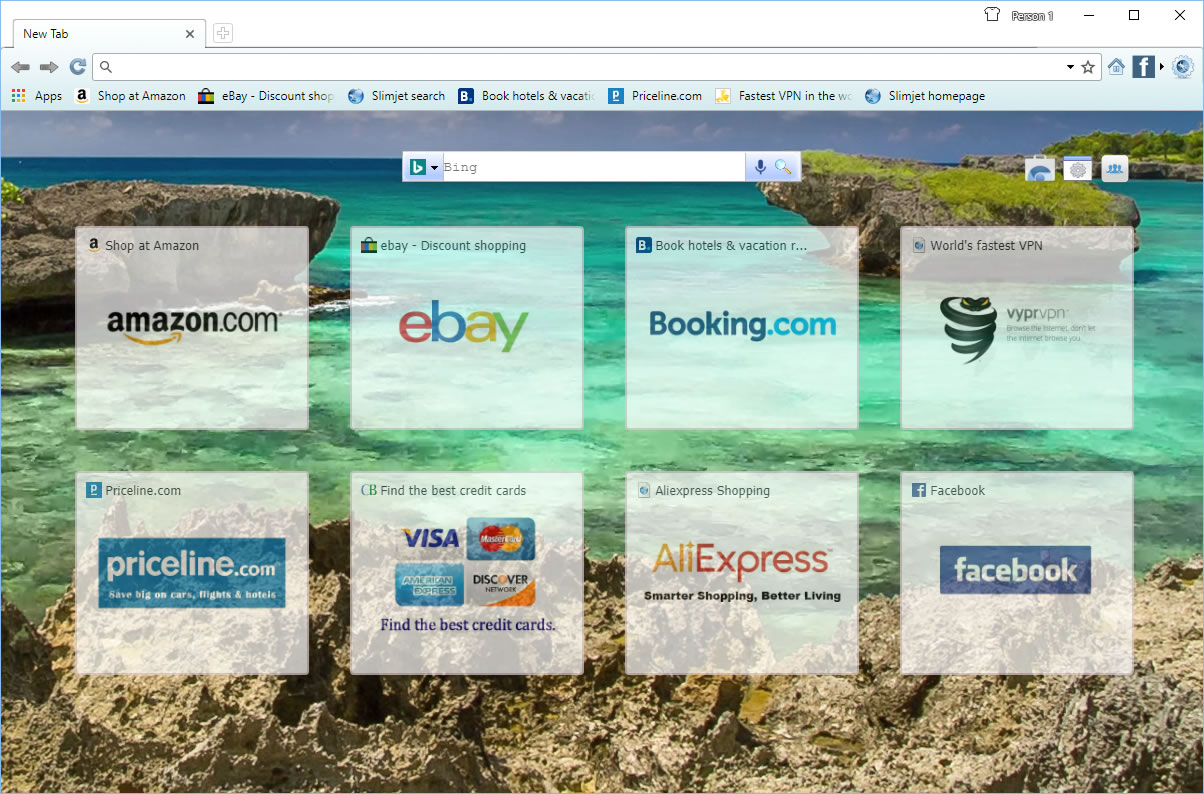
A large online video library is available for users to choose their own favorite background videos with beautiful scenery.
Here is a screenshot of the customization dialog in New Tab page,
Here is the dialog which let users to define the link to put on each quick-dial button,

I'm searching and I am unable to find the documentation showing how to do this.